Friday, July 3, 2015

Tuesday, June 30, 2015
C4Ta#3
Summary:
This blog is Langwitches and is written by Silvia Rosenthal Tolisano. The first blog I read was 6 Ways I Use Pinterest. In the blog, she talked about all the different things you can do with Pinterest. She talks about how you can find unique ways of creating things, and teaching different lessons. She thought that the 6 best uses of Pinterest were:
Summary:
In this blog by Tolisano was called What are the best ways a Teacher can demonstrate leadership in the classroom? In this blog, Tolisano gave many examples of what leadership means and how a teacher can provide leadership qualities. She states that to have the "leadership flow" you must attribute these 4 things: Model, Experience, Share, and Trust. She then explains how you can succeed in these 4 ways of leadership.
Comment:
Hi! I am a student in EDM 310 at the University of South Alabama. I really enjoyed reading your post on leadership. Obviously, this is a huge component in being a successful educator, and I really gained a lot from the examples you provided for the 4 ways to succeed in the "leadership flow". I like how you said that leaders model by example and not "do as I say". This stuck out a lot for me. Thank you for such a great post!

This blog is Langwitches and is written by Silvia Rosenthal Tolisano. The first blog I read was 6 Ways I Use Pinterest. In the blog, she talked about all the different things you can do with Pinterest. She talks about how you can find unique ways of creating things, and teaching different lessons. She thought that the 6 best uses of Pinterest were:
- Social Bookmarking and Curation
- Social Networking
- Research
- Window Shopping
- Creativity
- Branding and Marketing
Comment:
Hi! I am a student in Dr. Strange's EDM 310 class at the University of South Alabama. I loved your post because I learned so many innovative ways to use Pinterest. I really only used if for finding the newest recipes, or unique things to make. But, I learned a lot for the 6 points that you made. Thank you so much for writing a great post!
Summary:
In this blog by Tolisano was called What are the best ways a Teacher can demonstrate leadership in the classroom? In this blog, Tolisano gave many examples of what leadership means and how a teacher can provide leadership qualities. She states that to have the "leadership flow" you must attribute these 4 things: Model, Experience, Share, and Trust. She then explains how you can succeed in these 4 ways of leadership.
Comment:
Hi! I am a student in EDM 310 at the University of South Alabama. I really enjoyed reading your post on leadership. Obviously, this is a huge component in being a successful educator, and I really gained a lot from the examples you provided for the 4 ways to succeed in the "leadership flow". I like how you said that leaders model by example and not "do as I say". This stuck out a lot for me. Thank you for such a great post!
Blog Post #11
The question for this blog was "What can we learn about teaching and learning from these teachers?" I watched all of the 6 videos and I learned different things from each video. I loved the first video I watched, Back to the Future, because Mr. Crosby seemed like he really cared about his students. Most of his students were from low-income families where english was not the first language.
He uses blogs in his 4th grade classroom and has his students write what projects they have done and how they did the projects. He had his students do a project called "High Hopes". They wrote what their high hopes were on their blog, then they put it into this balloon that they created. He then had his students pretend to be a balloon and explain their balloon's journey up into the sky. This seemed like such a great project because it focused on "active learning". Meaning that it empowered the students to learn on their own. The kids in Mr. Crosby's class had so much fun with this project. They then got to really make a balloon and send it off to the sky with a video camera attached to it. Another thing I loved about Mr. Crosby's teaching methods was how he incorporated one of his students who was diagnosed with Leukemia, in the classroom. Mr. Crosby had the student, Celeste, Skype the classroom and do an activity with them. This honestly touched my heart and made me smile. He wanted her to feel as "normal" as possible.
The second video was the Blending Learning Cycle. Teacher Paul Anderson, uses online and mobile activities in his classroom. He gives his students a project and they must follow the steps of "QUIVERS". I really liked these steps because you can use these for any project you do in your classroom. The steps are:
Qu- question (something the students don't understand)
I- investigation/inquiry (let them experiment with the project)
V- video (makes a video to let the student's watch and review)
E- elaboration
R- review (Mr. Anderson will meet with students and asks them questions to make sure they actually know what they are learning.)
S- summary quiz (if they fail, they must repeat the QUIVERS steps)
I thought that this would be a very helpful thing to do with my class because it can really insure you that your students REALLY know what they are learning and doing.
The third thing I looked at was Making Thinking Visible. Unfortunately, I couldn't find the small clip we were supposed to watch, but I did take a look "inside" the book. The book comes with DVDs for teachers to watch and learn how to teach certain things, it gave tips on how to do things with certain lessons, and gave examples as well. This would be a very good tool to use for a first year teacher.
The fourth video was Sam Pane 4th Grade. This was a video on Mr. Pane's 4th grade class and how they became a "Super Digital Citizen". He has his students make a super hero on a safe website, while also incorporating the English learning standards. They put together a "real story" and had students use pictures, videos, and design their own superhero! He said that it "makes the project meaningful to the students". The harder they work on it, the more it means to them. He taught his students how to safely use the internet and what is not safe to put on the internet. I think this is extremely smart to do. With the use of technology expanding tremendously in the classroom, you have to have your students know how to properly use the internet. Like what sites are safe, valuable, and reliable.
The fifth video was Project Based Learning by Dean Shareski. This was an "Integrated Study Project" that incorporated teachers of different subject to work and collaborate together. It was mainly a video on the english and history teachers working together in the classroom. They make the learning "relevant" to the students and it provides the students with claiming "ownership" to their projects. The teachers would walk around the classroom and give feedback to their students, and when they would come back to the student 30 minutes later, the student felt so much more confident in their work. They fixed their areas of problem, and were very proud of what they created.
The last video was Roosevelt Elementary's PBL Program. This was a video about the use of PBL in the 1st grade classroom. The teachers called it "in depth learning". They provide their students things for researching and incorporate real-world problem solving skills in the classroom. I think that it is obvious that PBLs do have a positive impact on a child's learning. It seems like it really helps the students fully understand what they are learning in the classroom. Also, PBLs incorporate many different learning styles. For example, something may come easy to one student, while another student is having a hard time learning the same content, so with a PBL you can approach the lesson in a different way for the student who is struggling. I really like the idea of that because I really want all of my students to fully understand what they are learning.
One common factor that all of these videos has and what I've learned is that with projects like these, students will become more engaged with what they are learning. They aren't just reading a textbook and doing problems from the back of it, they are actually getting down to the "nitty gritty" of the problem, and solving it.

The second video was the Blending Learning Cycle. Teacher Paul Anderson, uses online and mobile activities in his classroom. He gives his students a project and they must follow the steps of "QUIVERS". I really liked these steps because you can use these for any project you do in your classroom. The steps are:
Qu- question (something the students don't understand)
I- investigation/inquiry (let them experiment with the project)
V- video (makes a video to let the student's watch and review)
E- elaboration
R- review (Mr. Anderson will meet with students and asks them questions to make sure they actually know what they are learning.)
S- summary quiz (if they fail, they must repeat the QUIVERS steps)
I thought that this would be a very helpful thing to do with my class because it can really insure you that your students REALLY know what they are learning and doing.
The third thing I looked at was Making Thinking Visible. Unfortunately, I couldn't find the small clip we were supposed to watch, but I did take a look "inside" the book. The book comes with DVDs for teachers to watch and learn how to teach certain things, it gave tips on how to do things with certain lessons, and gave examples as well. This would be a very good tool to use for a first year teacher.
The fourth video was Sam Pane 4th Grade. This was a video on Mr. Pane's 4th grade class and how they became a "Super Digital Citizen". He has his students make a super hero on a safe website, while also incorporating the English learning standards. They put together a "real story" and had students use pictures, videos, and design their own superhero! He said that it "makes the project meaningful to the students". The harder they work on it, the more it means to them. He taught his students how to safely use the internet and what is not safe to put on the internet. I think this is extremely smart to do. With the use of technology expanding tremendously in the classroom, you have to have your students know how to properly use the internet. Like what sites are safe, valuable, and reliable.
The fifth video was Project Based Learning by Dean Shareski. This was an "Integrated Study Project" that incorporated teachers of different subject to work and collaborate together. It was mainly a video on the english and history teachers working together in the classroom. They make the learning "relevant" to the students and it provides the students with claiming "ownership" to their projects. The teachers would walk around the classroom and give feedback to their students, and when they would come back to the student 30 minutes later, the student felt so much more confident in their work. They fixed their areas of problem, and were very proud of what they created.
The last video was Roosevelt Elementary's PBL Program. This was a video about the use of PBL in the 1st grade classroom. The teachers called it "in depth learning". They provide their students things for researching and incorporate real-world problem solving skills in the classroom. I think that it is obvious that PBLs do have a positive impact on a child's learning. It seems like it really helps the students fully understand what they are learning in the classroom. Also, PBLs incorporate many different learning styles. For example, something may come easy to one student, while another student is having a hard time learning the same content, so with a PBL you can approach the lesson in a different way for the student who is struggling. I really like the idea of that because I really want all of my students to fully understand what they are learning.
One common factor that all of these videos has and what I've learned is that with projects like these, students will become more engaged with what they are learning. They aren't just reading a textbook and doing problems from the back of it, they are actually getting down to the "nitty gritty" of the problem, and solving it.

Monday, June 29, 2015
Special Blog Assignment #2
I really enjoyed Dr. Jacobs website Curriculum 21. I loved how she had multiple websites that would be great to use in the future. I spent a lot of time looking at some of the websites she had posted, and I really liked the 6 I picked out. The first one I chose was Museum Box. I really liked this website. I would use this website for a History lesson. With this website, students can place items that describe a person, place, or thing in a virtual box. I watched a short video on it and you can place different audio files in the box as well. This would be a great history project to have your students do.
The second website I picked was Zoo Burst. This website allows your students to create a profile and lets them make a virtual 3-D pop-up book. You can use different images from the internet and you can also incorporate sounds into the pop-up book. I think this would be a great lesson for your students to do on a book that is being read to them in class, or even to do a book report on a chapter book I have assigned to them. This was a very fun website, and I think that students would really enjoy it.
The third website I chose was Illustrative Mathematics. This would be VERY beneficial for me as a teacher. This website had lesson plans, instructions, and standards for each grade. It had different activities that you can do with your students, and provides examples as well. This would be a great tool to use if you aren't sure how to teach a particular lesson, or if you just want to see a different way of teaching a lesson.
The fourth website was Keyspace. This was a very cool website. This allows your students to "touch type" without have to look at a "touch type" device. For instance, this would allow your students to practice typing on their iPads, or iPod touches, or whatever touch device they have, it would have them learn how to type and get used to using a touch device.
The fifth website I picked was Newspaper Map. This is a great website to use when you are teaching your students current events. There is a map of the world and you can click on anyplace on the map and it will take you to that particular location's local newspaper. It would be so cool to do this everyday in the beginning of class. I think students would really enjoy this website.
The last website I picked was Just the Word. This would be a good website to use while teaching your students grammar. You can type any word in the box and it will show you different ways to say the word and use the word, and it shows you different ways to make a sentence with the word. I am really glad I found all these websites, because I think they will be very beneficial to me in the future!

The second website I picked was Zoo Burst. This website allows your students to create a profile and lets them make a virtual 3-D pop-up book. You can use different images from the internet and you can also incorporate sounds into the pop-up book. I think this would be a great lesson for your students to do on a book that is being read to them in class, or even to do a book report on a chapter book I have assigned to them. This was a very fun website, and I think that students would really enjoy it.
The third website I chose was Illustrative Mathematics. This would be VERY beneficial for me as a teacher. This website had lesson plans, instructions, and standards for each grade. It had different activities that you can do with your students, and provides examples as well. This would be a great tool to use if you aren't sure how to teach a particular lesson, or if you just want to see a different way of teaching a lesson.
The fourth website was Keyspace. This was a very cool website. This allows your students to "touch type" without have to look at a "touch type" device. For instance, this would allow your students to practice typing on their iPads, or iPod touches, or whatever touch device they have, it would have them learn how to type and get used to using a touch device.
The fifth website I picked was Newspaper Map. This is a great website to use when you are teaching your students current events. There is a map of the world and you can click on anyplace on the map and it will take you to that particular location's local newspaper. It would be so cool to do this everyday in the beginning of class. I think students would really enjoy this website.
The last website I picked was Just the Word. This would be a good website to use while teaching your students grammar. You can type any word in the box and it will show you different ways to say the word and use the word, and it shows you different ways to make a sentence with the word. I am really glad I found all these websites, because I think they will be very beneficial to me in the future!

Blog Post #10
I thought that Ms. Cassidy has a very unique approach to teaching her students. In the video First Graders in Ms. Cassidy's Class, she has her students telling the viewers all of the different types of technology they use in their classroom. She has her students use blogs to write about what they do in class. Anyone can see the blogs, and even some of the students family members comment back on what their 1st grader blogged about. I think having the parents involved with the blogs was a great idea. It makes them involved with their child's learning, but also gives the child a boost of confidence knowing that their parent's liked what they blogged about. Blogging also helps the students writing get better. They also use webpages to find information on things. They use wikis to make lists like a "ritual" list or on the alphabet. Ms. Cassidy's class also makes videos to put on their blogs and she says that that is her students favorite thing to do.
In Part 1, Ms. Cassidy talks about how the video that we watched was a progression of the students over the course of the year. In Part 2, Dr. Strange asks what type of technology we should use or what was the best, and I really liked Ms. Cassidy's response. She said "You should use technology with what you are interested in." So if you like to make videos, use Youtube. If you want your students to become better writers, use a blog website. There are so many different ways to enhance learning in the classroom, especially with the use of technology. In Part 3, Ms. Cassidy explains that she has her students use a blog at least once a week. She brings her whole class to the school's computer lab and they all blog together. I love the idea of having your students blog. I think it is a great way to have them learn how to properly use a computer, and it helps them improve their writing skills. Some impediments I may encounter is myself. I may not be all that knowledgable on how to use Youtube, or the different blogging websites. I would have to educate myself on the different uses of technology. I feel as though students would benefit tremendously from the things Ms. Cassidy does in her classroom. The students look like they enjoy blogging and making videos. They are learning and having fun at the same time!

In Part 1, Ms. Cassidy talks about how the video that we watched was a progression of the students over the course of the year. In Part 2, Dr. Strange asks what type of technology we should use or what was the best, and I really liked Ms. Cassidy's response. She said "You should use technology with what you are interested in." So if you like to make videos, use Youtube. If you want your students to become better writers, use a blog website. There are so many different ways to enhance learning in the classroom, especially with the use of technology. In Part 3, Ms. Cassidy explains that she has her students use a blog at least once a week. She brings her whole class to the school's computer lab and they all blog together. I love the idea of having your students blog. I think it is a great way to have them learn how to properly use a computer, and it helps them improve their writing skills. Some impediments I may encounter is myself. I may not be all that knowledgable on how to use Youtube, or the different blogging websites. I would have to educate myself on the different uses of technology. I feel as though students would benefit tremendously from the things Ms. Cassidy does in her classroom. The students look like they enjoy blogging and making videos. They are learning and having fun at the same time!

Sunday, June 28, 2015
Project #14
We did our PBL using iMovie. We incorporated iMovie in our science lesson plan for our 1st grade students. Students are to collaborate in a group of 4-5 students and make an iMovie on their assigned habitats and biome. Attached is the calendar, the lesson plan, and the rubric for the project. We hope that our student will find entertainment and knowledge from this lesson.
Links:
Calander
Lesson Plan
Rubric

Links:
Calander
Lesson Plan
Rubric

Blog Post #9
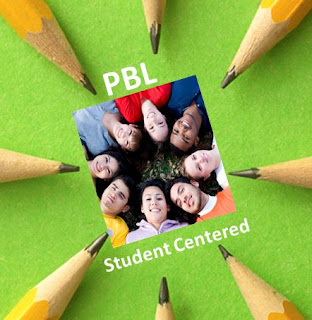
The question that we needed to answer was "What can teachers and students teach us about Project Based Learning?" On the first website, Seven Essentials for Project Based Learning, I learned that students must perceive their work as "personally meaningful". I thought that this was a very interesting quote. Also, as an educator, you must follow 7 steps to have your students produce a successful PBL. The 7 steps are:
1) Need to Know
1) Need to Know
- Teachers need to tell their students what they need to know for the PBL
- This is the "heart" of the project. What will the students be looking for?
3) Student Voice and Choice
- Let the students pick something that has actual meaning to them.
4) 21st Century Skills
- In the article, it said the you should have your students participate in "team-building" activities.
5) Inquiry and Innovation
- Have your students gather multiple questions based on their topic for their PBL
6) Feedback and Revision
- It is very beneficial for your students to critique each other. It helps them realize where their mistakes were, and what they can do to fix them.
7) Publicly Presented Project
- Students will put more care and effort into their work when they are told that they will be presenting the project in front of their peers. They will care more about the quality of their work.
On the second website I looked at, Project Based Learning for Teachers, I watched a video that told you what would make a very good PBL. The creator, Tony Vincent, said that having a deep driven question that your students will care about, will make the PBL very successful. This was also very similar to what was said in the first article I read. Also, PBLs completely meet the Common Core Standards, so that makes the Project Based Learing even better. I liked that quote that was said by Albert Einstein: "I never teach my pupils. I only attempt to provide thee conditions in which they can learn". I thought that this quote said a lot. You can help your students as much as you need to, but they really haven't learned the material if they can't do it by themselves. So, PBL is the best way to see if your students have actually mastered the skills in which you have provided them with.
I liked the Ten Sites Supporting Digital Classroom Collaboration in Project Based Learning website because it gave you 10 websites to use to help with your students PBLs. If I were to ever conduct a PBL with my classroom, I feel as though the websites listed off would be the most beneficial for my students. The 10 websites are:
1) Titan Pad
2) Wall Wisher
3) Corkboardme
4) Google Docs
5) Microsoft Live
6) Today's Meet
7) Will you type with me
8) Linoit
9) Skype in Education
10) Quick Screen Share
I also learned from the Two Students, that having your students create something that they will enjoy and like, will make them work 10 times harder on the project. These two boys created a pump for a ketchup bottle to prevent liquid from coming out when you squeezed the bottle. I thought this was such a great idea! The students also used a 3D software to make and print their project. And it looked like their invention worked! From the Project Based Learning in PE, I learned that creating a physical fitness program really helped the middle school students live a healthy life. They had a list of things to follow, and it seemed like they really liked them. This would be a great thing to do with elementary students so they can start to learn what is healthy and what is not healthy for them. I learned a lot from exploring these different websites, but most importantly I learned that having your students pick a topic that they will actually CARE about, will have the best end results.

Subscribe to:
Posts (Atom)